


A good backup strategy isn’t just about protecting data, it’s about peace of mind. Whether you’re a home user with irreplaceable photos or a business with critical operational data, the goal is the same: you want to know that if something goes wrong, you can recover quickly and confidently.
The 3‑2‑1 Backup Rule is one integral part of any good backup strategy. It’s a simple, practical framework that helps you build resilience against the kinds of real‑world incidents that catch people off guard: hardware failure, cyber attacks, accidental deletion, vendor issues, and even physical disasters.
What the 3‑2‑1 Rule Means — and Why It Works
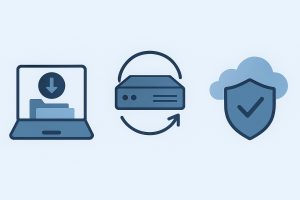
The rule is simple:
- 3 copies of your data
- 2 different storage types
- 1 copy offsite
Each part of the rule protects you from a different category of risk.
Three copies ensure that if your primary device fails, you still have multiple fallbacks.
Two storage types protect you from weaknesses in any single medium. External drives can fail. NAS devices can be hit by ransomware. Cloud accounts can be compromised. No single storage method is perfect, so diversity matters.
One offsite copy protects you from building‑level risks like fire, flooding, theft, or power events that damage multiple devices at once. It also protects you from vendor‑side issues such as cloud corruption or accidental deletion.
This layered approach is what makes the 3‑2‑1 rule so effective.
Where Backup Strategies Quietly Fall Short
Even well‑intentioned backup setups often have hidden weaknesses. These are the areas where problems tend to appear, and where small improvements can make a big difference.
Manual backups that aren’t performed consistently
If your backup relies on someone remembering to plug in a drive or run a job, it will eventually be forgotten. Gaps of weeks or months are common, and they only become obvious when recovery is needed.
Confusing syncing with backing up
Cloud sync tools like OneDrive, Google Drive, and Dropbox are convenient, but they mirror changes including deletions and corruption.
If an attacker gains access to your cloud storage, they can delete or encrypt everything — and those changes propagate instantly.
All backups stored in one physical location
A PC, an external drive, and a NAS sitting in the same room are all vulnerable to the same fire, flood, theft, or surge. Local redundancy is helpful, but it’s not offsite protection.
No versioning or history
Silent corruption, accidental overwrites, or partial sync failures can go unnoticed for months. Without versioning, every copy you have may already be damaged before you realise something is wrong.

Backups that aren’t monitored
Backup jobs fail for all sorts of reasons, eg. full drives, expired credentials, disconnected devices. If nobody is checking the logs, you may not have a working backup at all.
Even when alert emails or notifications are configured, they often become noisy, repetitive, or poorly targeted. Over time, they get ignored or filtered out entirely, leaving backup failures unnoticed until recovery is needed.
Restore tests that are never performed
A backup is only useful if you can restore it.
It’s common to see backups that appear healthy but fail during recovery due to corrupted archives, missing encryption keys, or incomplete data sets. Periodic restore tests are the only way to confirm your backup is actually usable.
Backups exposed during ransomware events
If a backup drive is plugged in or a NAS is mapped, ransomware can encrypt it along with everything else. This is one of the most common ways businesses lose both primary and backup data in a single incident.
The good news is that every one of these risks can be addressed with a few thoughtful adjustments.
Creating a Safer backup Strategy
A strong backup strategy isn’t about fear, it’s about confidence.
The 3‑2‑1 rule gives you a simple, reliable way to protect your data from the full range of real‑world risks: hardware failure, cyber attacks, accidental deletion, vendor issues, and physical disasters.
Three copies. Two storage types. One offsite.
When you follow that structure and avoid the common pitfalls you’re not just backing up your data. You’re building resilience, reducing downtime, and giving yourself the certainty that no matter what happens, you can recover.